For real estate agents
Show buyers what the listing could be.
Upload a listing photo and get it staged or refreshed in about a minute. Walls, windows and rooflines stay where they are, so the photo still shows the real home.
Stage a listing free
2 free designs · No account · No credit card
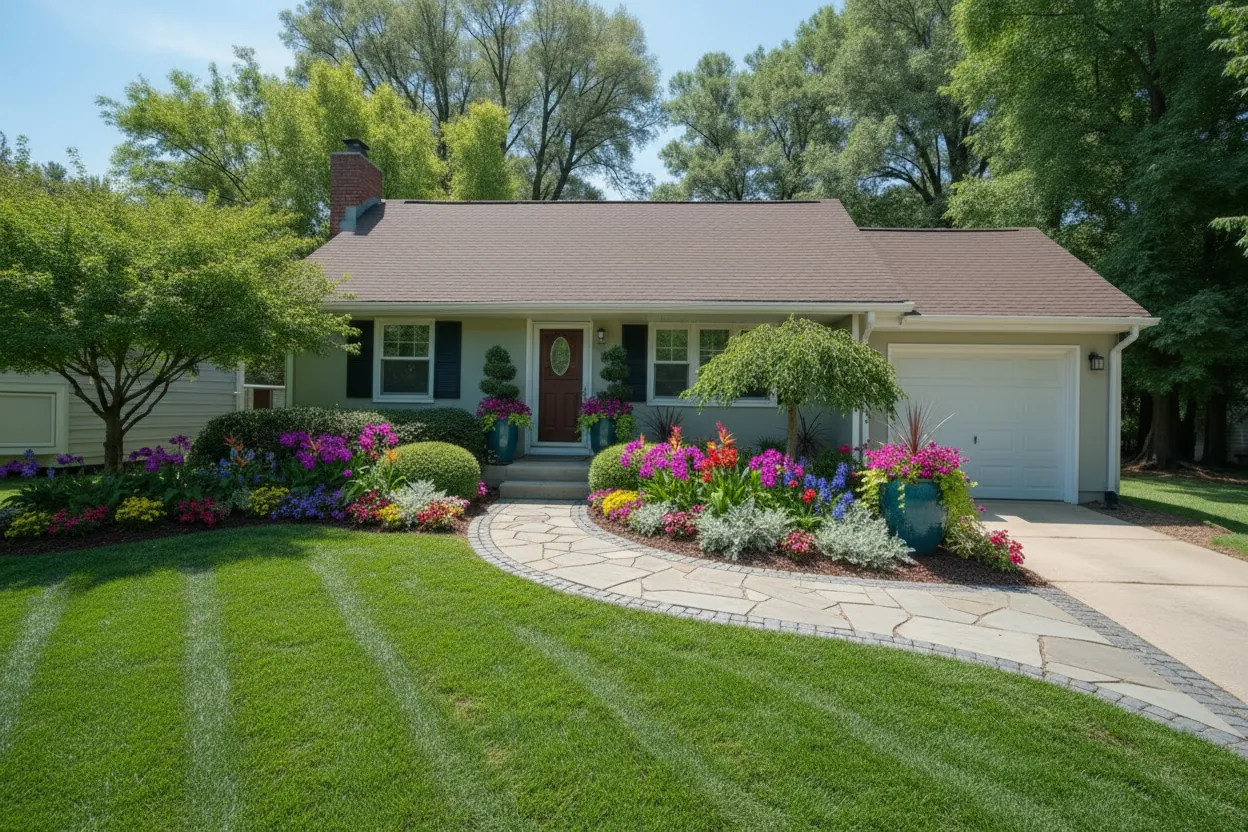
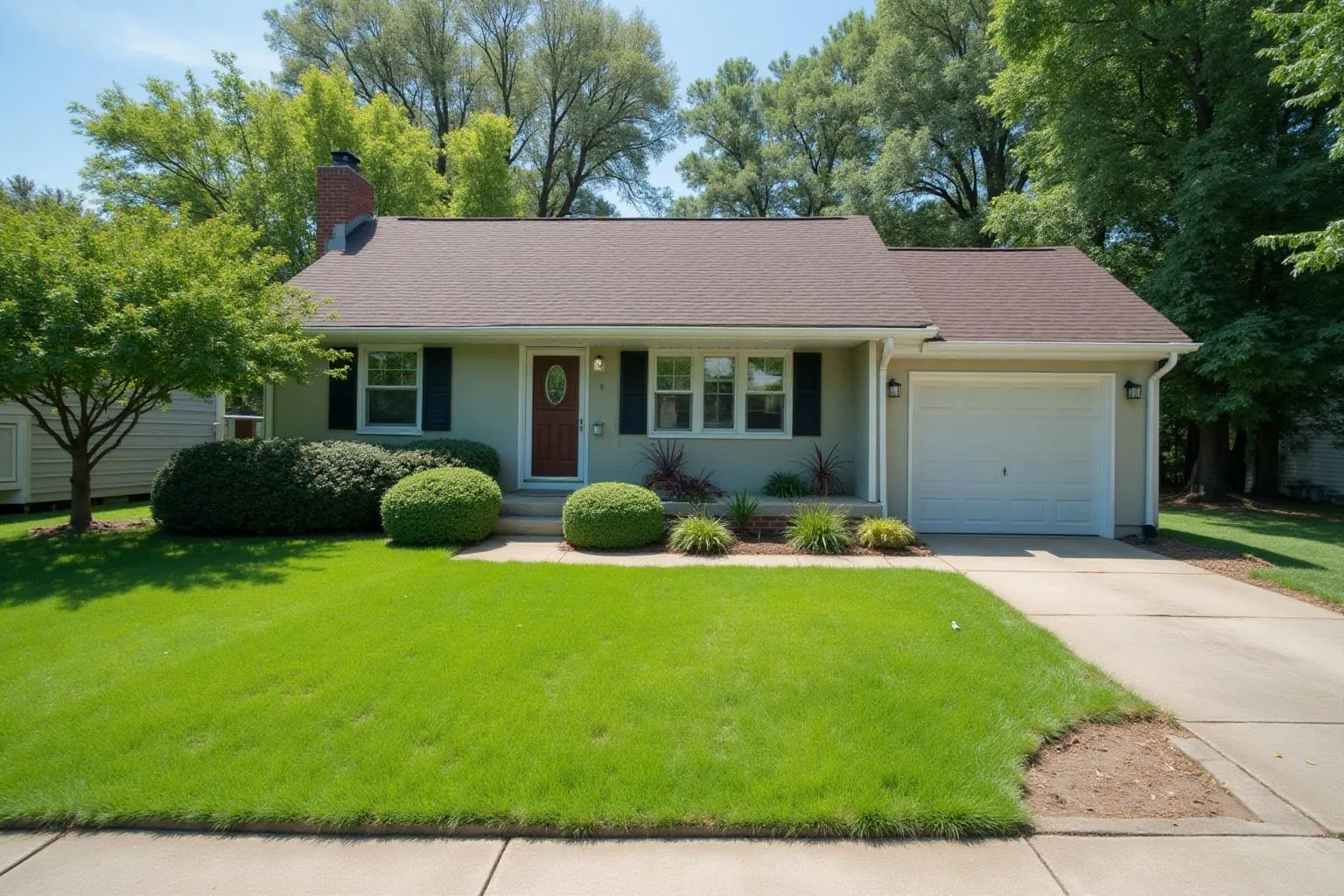
Same house, driveway and lawn line. New beds, a curved stone path and layered planting.
How real estate agents use it
- Stage empty rooms
- Add clean, neutral furniture to a vacant living room, bedroom or kitchen so buyers can judge the size and use of the space.
- Lift the curb appeal
- Show a tidy front yard with fresh planting, a clear path and a painted door, while the house itself stays as it is.
- Show what a dated room could be
- Put a refreshed kitchen or bathroom next to the real photo for buyers who struggle to see past old finishes.
How it works
- 1Upload a listing photo, or take one on your phone at the property.
- 2Choose to stage the room or refresh it, and say what to keep.
- 3Save the result to a free account and use it beside the original photo.
Questions
- Do I need to label virtually staged photos?
- Many MLSs and listing sites ask agents to say when a photo has been virtually staged or edited. Check your MLS rules, and keep the original photo in the listing as well.
- Will it change the house itself?
- Not unless you ask it to. Kasaro keeps walls, windows, rooflines and the camera view where they are, and changes the furniture, finishes and planting.
- What does it cost?
- Your first 2 designs are free, with no account and no card. After that, plans and one-off credit packs are on the pricing page. A design that fails never uses a credit.
Also for: Contractors · Landscapers · Interior designers · Homeowners · All professionals · Pricing · Before and afters
See your own home, redesigned.
Upload one photo. Your first design is ready in about a minute.
Start my free design
2 free designs · No account · No credit card